
Income and Ai Focus UI/UX Design


Course Overview
Course Curriculum
Module-01: Total Classes: 4 - Tools Setup & Figma Foundations
Class-01: Welcome & Course Orientation
- Introduction to UI/UX design as a career, course overview, tools needed, and setting up accounts (Figma, Adobe XD, Notion, FigJam). Introduction to AI tools (ChatGPT, Ideogram) and how they will be used throughout the course to accelerate design workflows
Class-02: Figma Interface Mastery
- Deep dive into Figma: canvas, toolbar, layers panel, properties panel, and keyboard shortcuts for efficient navigation. Overview of Figma AI features for auto-completing design tasks and generating layout suggestions
Class-03: Frames, Grids & Basic Shapes
- Working with frames vs. groups, setting up responsive grids, using auto layout basics, and drawing fundamental UI shapes. Using AI plugins (e.g., Figma AI, Magician) to speed up shape creation and layout structuring.
Class-04: Typography & Color in Figma
- Managing fonts, creating text styles, building a basic color palette, and understanding how styles scale across a project. Using AI tools like Fontjoy for font pairing suggestions and Coolors AI for smart color palette generation.
Module-02: Total Classes: 6 - UI Fundamentals, Wireframing & Research
Class-05: Visual Design Principles
- Hierarchy, contrast, alignment, repetition, and proximity — the CRAP principles applied to real UI examples. Using AI image tools (Ideogram, Midjourney) to generate visual references that demonstrate design principles
Class-06: UX Thinking & Design Thinking
- Introduction to the 5-stage Design Thinking model: Empathize, Define, Ideate, Prototype, Test — with a hands-on example. Leveraging ChatGPT to brainstorm and rapidly expand ideas at the Ideate stage.
Class-07: User Research Methods
- How to plan and conduct user interviews, surveys using Google Forms, and secondary research. Analyzing and documenting findings. Using ChatGPT to synthesize interview notes, identify patterns, and generate survey question suggestions.
Class-08: Empathy Maps & User Personas
- Turning raw research data into structured empathy maps and persona profiles that guide design decisions. Using ChatGPT to draft user personas from research notes and validate assumptions quickly.
Class-09: Wireframing: Web Layout
- Low-fidelity wireframing in Figma for desktop layouts — landing pages, dashboards, and product pages. Using AI wireframing tools (Uizard, Visily) to generate initial wireframe structures from text prompts.
Class-10: Wireframing: Mobile Layout
- Mobile-first wireframing principles, thumb zones, mobile navigation patterns (hamburger, bottom nav), and responsive considerations. Using Uizard or Figma AI to convert rough sketches into digital mobile wireframes instantly.
Module-03: Total Classes: 3 - UI Design - Figma Mastery
Class-11: High-Fidelity UI: Landing Page
- Designing a complete web landing page in Figma — hero, features, testimonials, CTA sections — with grid and spacing discipline. Using Ideogram or Midjourney to generate hero images and visual assets directly within the design workflow.
Class-12: Components & Variants
- Creating reusable Figma components (buttons, inputs, cards), setting up variants and interactive states (default, hover, active, disabled). Using Figma AI to auto-generate component variants and detect inconsistencies across a design.
Class-13: Auto Layout & Responsive Design
- Mastering Figma auto layout for responsive components that adapt to content — columns, rows, wrapping, and fill/hug behavior. Using AI-powered Figma plugins to suggest and apply optimal spacing and alignment automatically.
Class-14: Design Systems & Style Guides
- Building a mini design system from scratch: color tokens, typography scale, spacing system, icon library, and component documentation. Using ChatGPT to draft component naming conventions and write design token documentation.
Class-15: Mobile App UI Design (Part 1)
- Designing a mobile app — onboarding screens, login/signup, home feed — following iOS and Android design guidelines. Using Ideogram to generate app concept mood boards and AI-assisted UI inspiration references.
Class-16: Mobile App UI Design (Part 2)
- Continuing the mobile app: profile pages, settings, modals, bottom sheets, and microinteraction states. Using Figma AI and ChatGPT to rapidly explore microinteraction concepts and generate copy for UI elements.
Class-17: Dashboard UI Design
- Designing an admin dashboard: sidebar navigation, data cards, charts/graphs placeholder, tables, and responsive behavior. Using ChatGPT to generate realistic sample data and placeholder content for dashboard mockups.
Class-18: Developer Handoff & Annotations
- Preparing Figma files for developers - redlines, spacing annotations, component notes, export settings, and using inspect mode. Using AI tools to auto-generate component specs and accessibility annotations for developer handoff.
Module-04: Total Classes: 6 - UI/UX Research & Problem Solving
Class-19: Usability Testing Methods
- Moderated vs. unmoderated testing, think-aloud protocol, task scenarios, and how to record and analyze sessions. Using AI transcription tools (Otter.ai) and ChatGPT to summarize session recordings and surface key usability findings.
Class-20: Heuristic Evaluation
- Nielsen’s 10 Usability Heuristics applied to real apps — how to identify UX issues and rate their severity. Using ChatGPT to assist with heuristic evaluation write-ups and quickly cross-reference violations against guidelines.
Class-21: Problem Definition Frameworks
- Crafting clear problem statements using Point of View (POV) and How Might We (HMW) techniques to frame design challenges. Using ChatGPT to generate and stress-test multiple POV and HMW statements rapidly.
Class-22: Ideation & Concept Sketching
- Rapid ideation techniques — Crazy 8s, mind mapping, feature prioritization using MoSCoW method — from problems to design directions. Using ChatGPT to expand idea lists, challenge assumptions, and generate unexpected feature concepts.
Class-23: Interactive Prototyping in Figma
- Building clickable prototypes in Figma with transitions, smart animate, overlays, and interactive component states for user testing. Using Figma AI to suggest transition styles and prototype flows based on the design context.
Class-24: Testing, Feedback & Iteration
- Running a mini usability test session, documenting findings, identifying pain points, and redesigning based on evidence. Using ChatGPT to analyze test notes, cluster themes, and generate actionable redesign recommendations.
Module-05: Total Classes: 6 - Product Redesign - Case Study Execution
Class-25: Case Study Brief & Research
- Introduction to the redesign project, selecting a real app/website, conducting research, and defining the problem scope. Using ChatGPT to accelerate competitive research and generate an initial problem scope draft.
Class-26: Ideation & Information Architecture
- Mapping the current app’s IA, identifying structural issues, and ideating new site map and navigation flows. Using ChatGPT to suggest improved information architecture structures and generate alternative navigation models.
Class-27: Redesign Execution in Figma
- Designing new screens based on research insights — applying the full design system, layout improvements, and UX fixes. Using Ideogram or Midjourney to generate visual concept references aligned with the redesign direction.
Class-28: Prototype & Micro-interactions
- Adding interactivity to the redesigned screens with Figma transitions, smart animate effects, and real prototype flows. Using Figma AI to preview and refine animation timing and transition logic across prototype screens.
Class-29: Case Study Documentation & Presentation
- Writing the case study narrative: problem, research, process, solutions, and outcomes. Designing a polished presentation deck. Using ChatGPT to draft and refine case study copy, structure narratives, and improve clarity of design rationale.
Module-06: Total Classes: 6 - Portfolio Development & Freelancing
Class-30: Portfolio Strategy & Structure
- What makes a great UI/UX portfolio, how many projects to include, writing case study introductions, and choosing the right platform. Using ChatGPT to craft compelling portfolio bios, case study intros, and project descriptions that attract clients.
Class-31: Behance & Notion Portfolio Setup
- Hands-on portfolio building on Behance and Notion — layout, project covers, mockup presentation, and writing project descriptions. Using Ideogram to generate polished project cover visuals and mockup scenes for portfolio presentation.
Class-32: Freelancing Platforms: Fiverr & Upwork
- Setting up winning profiles on Fiverr and Upwork — gig titles, descriptions, pricing tiers, samples, and getting first reviews. Using ChatGPT to write optimized gig descriptions, profile summaries, and keyword-rich titles for better platform visibility.
Class-33: Client Communication & Proposals
- Writing professional proposals, asking the right discovery questions, managing scope, setting boundaries, and delivering on time. Using ChatGPT to draft tailored client proposals, discovery call scripts, and professional follow-up messages.
Class-34: AI Tools for UI/UX Designers
- Using ChatGPT for content generation, Ideogram for AI-generated UI inspiration, and Figma AI features for faster design iteration. Deep dive into building an end-to-end AI-assisted design workflow — from brief to delivery — using the full AI toolkit covered throughout the course.
Module-07: Total Classes: 2 - Final Exam & Project Presentation
Class-35: Final Project Review & Polish
- Dedicated class for final project refinements — instructor-led review, peer feedback, and last-minute improvements before submission. Using ChatGPT to polish case study writing and Figma AI to audit design consistency before final handoff.
Class-36: Final Presentation & Certification
- Final project presentations before a panel. Certificate ceremony, career roadmap session, and graduation guidance for next steps. Reflection on AI tools used throughout the course and how to continue growing with AI-powered design workflows professionally.
Career Opportunity
UI/UX Designer
Start your career as a UI/UX Designer by creating user-friendly mobile and web interfaces for companies, startups, and digital products.
Product Designer
Work as a Product Designer responsible for designing complete digital experiences, from user flow to final interface, for apps and SaaS platforms.
Freelance UI/UX Designer
Build your freelance career on platforms like Fiverr and Upwork by offering UI/UX design services to global clients and earning remotely.
Figma Expert / Design Specialist
Become a Figma specialist, creating high-quality wireframes, prototypes, and design systems for clients and design teams.
Web & Mobile App Designer
Design modern responsive websites and mobile applications with a focus on usability, accessibility, and user experience.
UX Research Assistant / UX Researcher
Work with teams to understand user behavior, conduct research, and improve product usability through data-driven design decisions.
Design System Designer
Create and maintain scalable design systems, UI components, and style guides for companies and large digital products.
Remote UI/UX Designer
Get hired as a remote designer and work with international companies while collaborating with global teams from anywhere.
Why This course is best for you!

Industry-Relevant Curriculum
This course is designed based on current industry demands of UI/UX design. You will learn every step using Figma - from wireframing, prototyping, and design systems to usability testing. The curriculum is structured to match real-world requirements of web, mobile, and digital product design.
06 Practical Real-World Projects
You will work on 06 hands-on UI/UX projects, including mobile app design, e-commerce website, dashboard UI, user flow mapping, and prototype testing. Each project helps you build confidence and create a strong professional portfolio for jobs and freelancing.
Expert Mentorship
Our placement support team will help you prepare for Fiverr, Upwork, local jobs, and freelance projects. You will also get support in client communication, CV building, portfolio optimization, and interview preparation.
Lifetime Access & Community Support
Once enrolled, you will get lifetime access to all course materials. You will also join an active design community where you can ask questions, get quick feedback, find opportunities, and grow your professional network.
Certificate & Career Value
After completing the course, you will receive an industry-ready certificate that adds value to your portfolio and helps you stand out in job applications and freelancing platforms.

Md. Azizul Islam
Senior UI/UX Designer
Project You Will Do
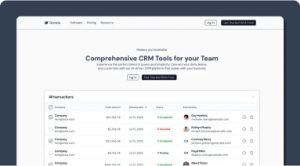
CRM Website Design


Travel Planner Website
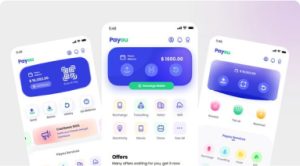
Mobile Wallet App
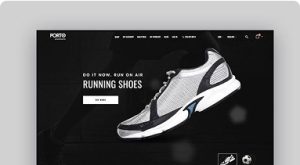
E-Commerce Fashion Website
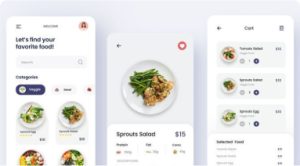
Food Delivery App Redesign
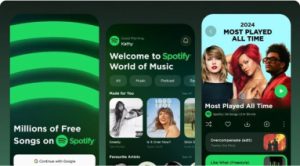
App Clone Design
Tools You will Learn
 Figma
 ChatGPTFigma Site
 Behance
 Dribble
Why European IT? !
Industry-Relevant Curriculum
Courses designed to match current market needs and future trends.
Expert Mentors
Learn directly from experienced professionals with real-world expertise.
Hands-On Training
Practical projects and exercises to build job-ready skills.
Career Support
Guidance on portfolios, interviews, and freelancing for career success.
Flexible Learning Options
Online and offline classes to fit different learning styles.
Proven Track Record
Thousands of successful graduates excelling in local and global industries.
Success Stories
At a glance
 ১৩ টি কোর্স
 ১০ টি প্রজেক্ট
 সম্পূর্ণ কোর্সের রেকর্ড ভিডিও
 ৩ মাসের স্টাডিপ্ল্যান
 ক্লাস নোটস
 সার্টিফিকেট
 প্রবলেম সলভিং লাইভ ক্লাস
 জব প্লেসমেন্ট সাপোর্ট
 ইন্টার্নশিপ অপরচুনিটি
 কমিউনিটি সাপোর্ট
 ৬০০০ টাকা সমমূল্যের মার্কেটিং রিসোর্স
 ফ্রিল্যান্সিং মার্কেটপ্লেস গাইডলাইন
Certified By

Offline Course
- Course Fee: ৳ 15,000.00 Admission Now
Online Course
- Course Fee: ৳ 4,999.00 Admission Now


